
Coding with AI has changed drastically over the past six months. As someone who can write code, but isn’t really a software engineer I’ve been really leaning in on using AI tools in the small amount of time that I do get to write code these days. I’ve found myself using four distinct styles of AI-Assisted coding that I’ve chatted with friends about and wanted to write more formally. It’s worth noting that some of these are more or less useful depending on your codebase complexity, how opinionated you are about architecture, and how willing you are to setup good guardrails.
I’m going to try to define each of these styles of AI-Assisted Coding, the basics of doing them in a VS Code + GitHub Copilot environment (my default). Almost all of this should have a huge caveat of “in my experience” and “from my usage” and isn’t intended to be perfect guidance, just my thoughts. Most of my usage is small to medium web applications, both front-end and back-end.
Style 1 - Fancy Autofill
This is the best first step into AI-Assisted coding and easy to pick-up and fit in a natural flow. It doesn’t really require a ton of special effort, leaves little room for error on the AI’s part, and will probably save mechanical time/effort. In Copilot, the easiest way to do this is something like this:

Write the start of a function, open the inline chat, tell the AI to implement it, and give it a second. You can give it a bit of detailed direction, but this isn’t a conversation, it’s generally a one-command, get some code, accept or try again. Early in my usage of AI, this was my bread and butter. Outline parts of a file, the basics of what I want to happen, include some comments, and implement piece-by-piece like this.
You can also do this in the sidebar of GitHub Copilot, but the inline flow feels more natural as a first step.
Style 2 - Helper
The second style is also easy to pick-up and fit into your natural workflow. It’s does involve using new UI, but it tends to be a replacement for search online when you have problems or taking notes on a behavior. I have a few normal use-case for this style. The first is basic debugging - If you’re investigating a bug or error, just use “Ask” mode in Copilot, add the file you care about, and ask why it’s happening:
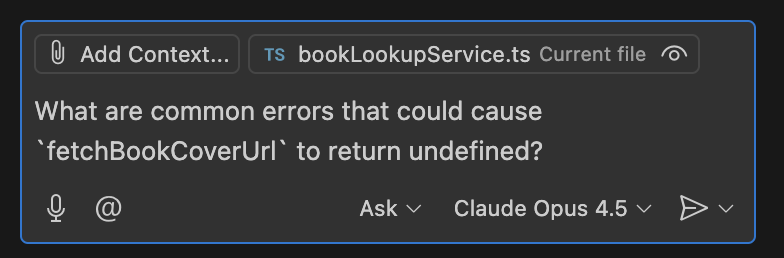
It’s a low-risk, high-reward use-case. The AI will think a bit, and throw out a possible answer. Best-case scenario it has a clearcut problem and proposes a solution. Worst-case, it sends you down a wrong path for a while that you might’ve done by yourself without it.
The second good use for this style is focused on testing or functions that are fairly simple. If you’re like me and don’t find joy in the act of writing tests, you can ask it to follow-up on your work with tests:
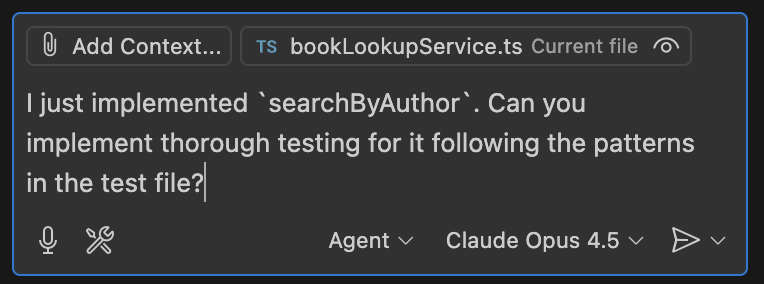
Or if you like tests and TDD then you can start with writing the tests yourself, and ask it to implement the actual code. It’s also reasonable to use this in a pattern where you call a function that isn’t implemented, then ask it to implement that function.
The final good scenario for AI as a helper is code reviews. In VS Code you can just highlight the code, hit the light bulb icon and choose “Review using Copilot” which will give you something like
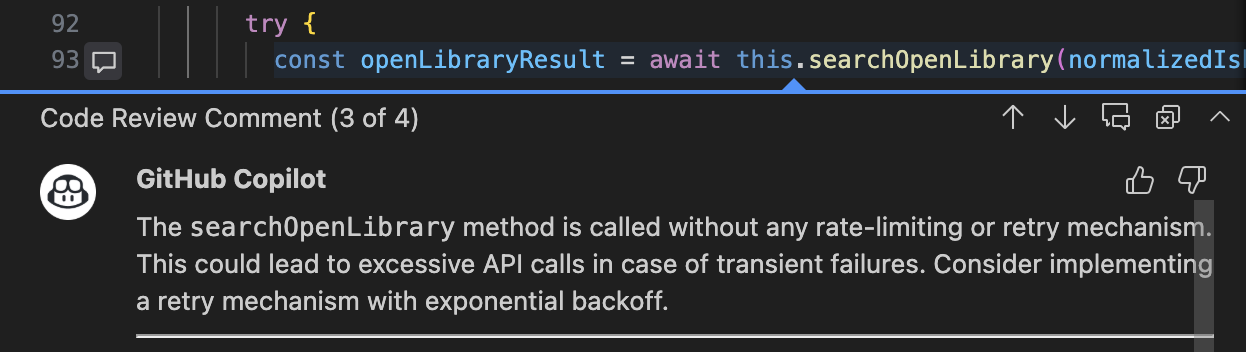
The theme with all of these is low-risk and high-reward when it works, but no skin off your back if the AI doesn’t do a great job.
Style 3 - Intern
I struggled to name this one, but intern feels appropriate today. This style is when you take a small-medium problem and delegate it to the AI to iterate on for a bit (ideally while you work on something else) then you review its code and pick it up for finishing. The reason I struggle with “intern” as a name is because I think that competence level is probably going to improve over time and it can vary heavily. “Intern” feels like the safest right now though.
It’s also the start of where you need to start changing how you think about your job, and the place where people have a very wide set of experiences. If you’re in a niche language, style, or pedantic with your code standards then you might have trouble with this today. However, models and tools are improving rapidly, so this might not be true in a matter of weeks or months. So don’t genericize your experience to everywhere.
The most effective way to do this in VS Code is in two phases. Starting in “Plan” with the basics of what you want, and it’ll take a bit to look at relevant files and then tell you how it’ll approach implementing it.
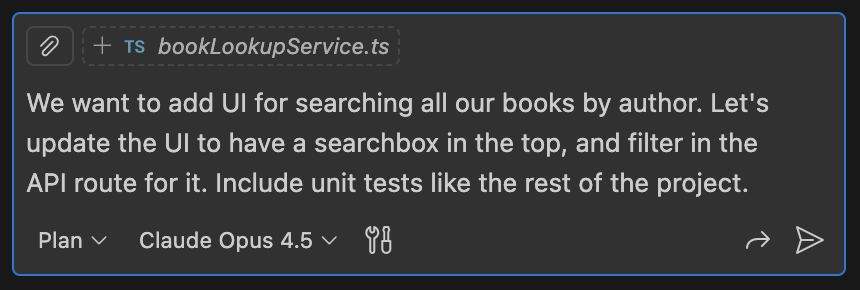
Just like working with an intern, it’s generally easier to adjust its plan before it writes the actual code. It’ll probably ask some follow-up questions and you can nudge it to take different paths that match more like what you want.
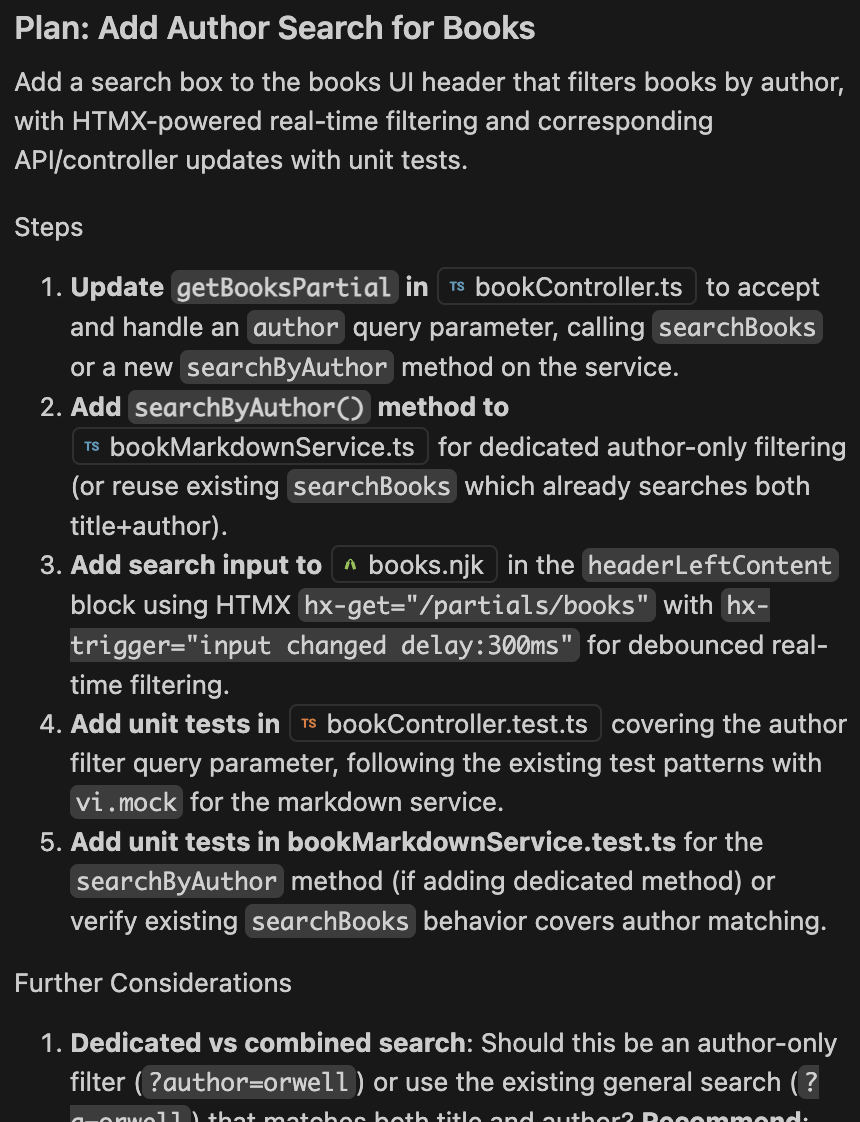
From here you can tell it to start implementing, then let it go for a while. You might have to approve tool usages, but VS Code will give you a notification when it’s blocked. This style works great when you’re writing emails, docs, or in a meeting. It can chug along solving a problem, once you’re ready you can pick it up and take over to finish it off.
Biggest piece of advice for this - When iterating on the plan or implementation, if you find yourself repeating a nudge, instruction, or correction, give it a prompt like “How can we write a single line in copilot-instructions.md so you remember next time?” or do it yourself.
Style 4 - Supporting Cast
This is a style that I’m still figuring out myself. It’s more or less multiple versions of the “intern” running in parallel. I imagine you can do this in VS Code with git worktrees, but I’ve struggled with that, so most of my usage is in GitHub itself. It more or less looks like this:
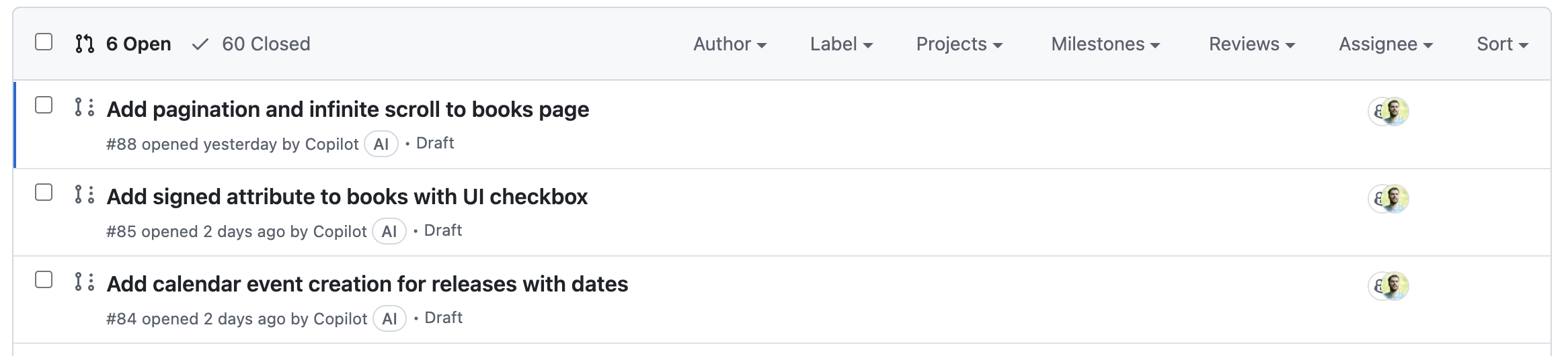
For the first time ever, my starting point for any changes isn’t in my IDE. The workflow I’ve settled into is fascinating to me:
- Open a GitHub issue with the details of the problem, solution, and any nudges on implementation details.
- Assign it to Copilot.
- Go do something else.
- Skim the PR and give any obvious feedback that it might miss.
- Go do something else.
- Repeat 4/5 as needed.
- Checkout the branch locally, build, and test.
- Update the code myself using one of the three other styles in this post.
Like before - Best-case scenario, I have a functional implementation that I need to sanity check and check-in. Worst-case, I have a red herring that isn’t actually a good solution and waste time (which I might’ve done without AI). I’ll take the odds of getting a good solution or workable start to one most of the time.
For my current project, I just do this for every issue I open. Let it get something ready for me, I can iterate with PR feedback even from my phone, and I’ll checkout the branch to get it ready and merge when I’m ready to. Most of the time, the biggest problem is merge conflicts, but Copilot is great at those too.
So that’s just the styles I’ve found myself using. Obviously it’s not all-encompassing, but I wanted to get a few examples on paper for some friends. I’m hoping to follow this up with another post soon about what works well for me with these specific patterns, and build guardrails for AI and agents.